
For families
See exactly what your child watches at school. And talk about it tonight.
In class, your child watches only the short videos their teacher chose, from a list your district approved. You can see this week's videos and what your child watched, so you know what they saw and can ask them about it.
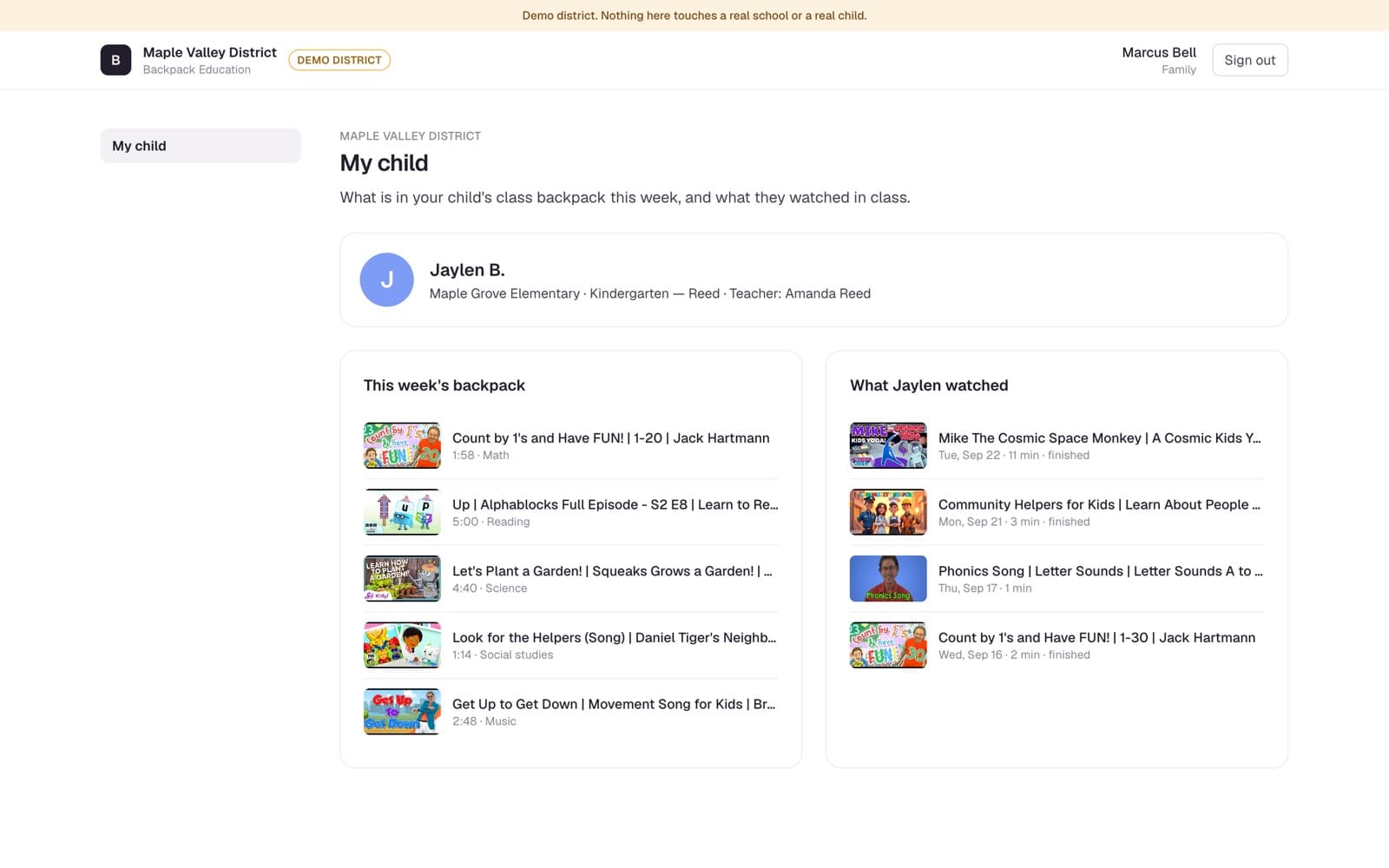
Real screen from our demo district. Jaylen and his family are fictional.
What stays true
These protections are built in. There is no setting to turn on.
- What they see
Only what their teacher packed.
There is no search box, no feed, and no suggested videos. Nothing plays next on its own. Backpack shows no ads and tracks nothing for advertising. Videos play in the video host's own embedded player, which may show a short ad before some videos. Backpack does not choose those ads.
- Who they are
A first name and a colour.
Your child is a first name and last initial on a colour tile. There are no photos of children anywhere in Backpack, and no passwords.
- Who sees it
Their teacher, and you.
Each view is recorded and shown only to your child's teacher and to you. No principal or district screen shows it. You see your child, and nobody else's. Your district can export these records, and each export is logged.
From the classroom to your kitchen table
What your child sees. What you see.
Five real screens: two on the classroom tablet, three in the parent view.
Real screens from our demo district. All names are fictional.
01 At school
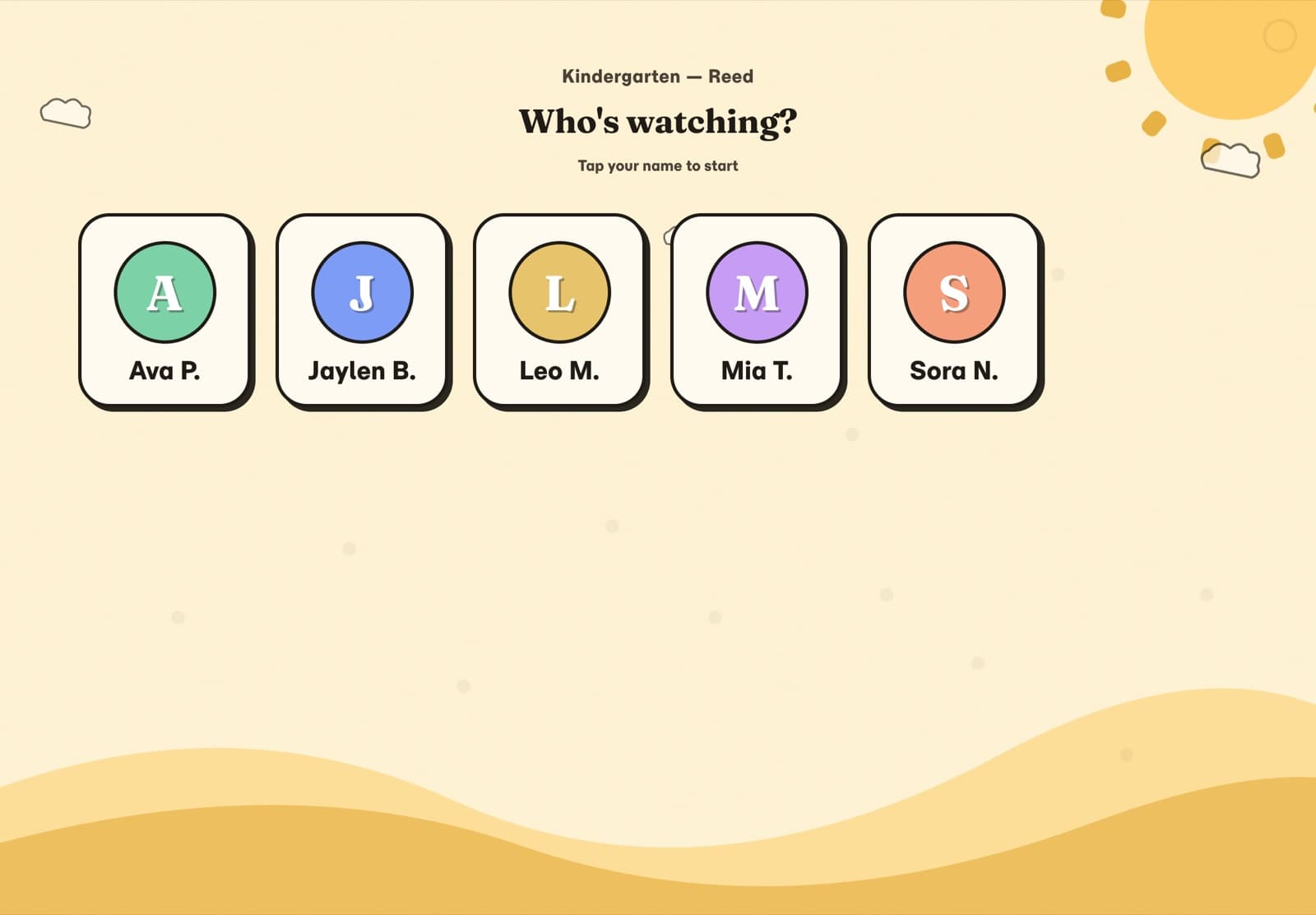
A name, a colour, a tap.
Your child taps their first name and last initial on a colour tile. No photos of children, anywhere, and no passwords.
02 At school
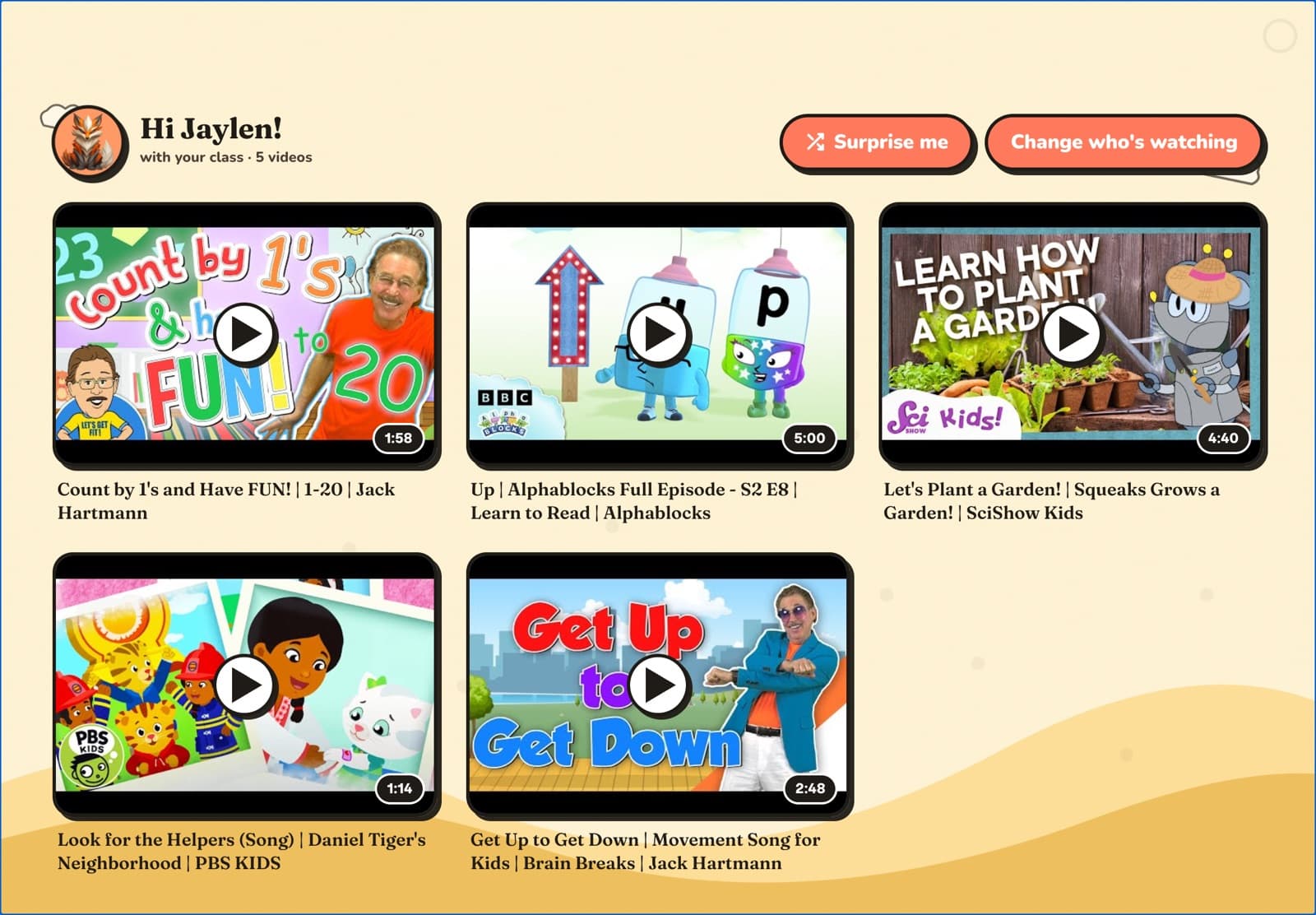
Only what their teacher packed.
The videos their teacher chose from a list the district approved. No search, no feed, nothing suggested. Surprise me picks from the same few.
03 At home
Their class, and their teacher.
The parent view opens on your child: their school, their class and their teacher's name.
04 At home
This week's backpack.
The same videos your child sees at school, with how long each one is and what it is for: math, reading, science.
05 At home
What they watched.
Each video your child watched in class: the day, the minutes, and whether they finished it.
Something to talk about
Knowing what they watched makes a better question than “How was school?”
A few ideas. It is just a conversation: look at the backpack, pick one, and ask.
Tell me about the frog video.
A life-cycle video this week? Ask them to tell it back to you, start to finish.
What would you plant?
After a garden video, pick a spot outside together, or a cup on the windowsill.
Can you sing me the counting song?
Songs stick. Ask for the part they remember, and let them teach you.
Your child's information
What Backpack keeps about your child.
What Backpack knows about your child is what the tablet needs to show them their class, and what their teacher and you need to see what they watched.
- Their nameFirst name and last initial. Nothing more of a child's name is shown on the tablet.
- Their colourSo a child who cannot read yet can find their own tile.
- Their classSo the tablet shows only their teacher's backpack.
- What they watchedWhich videos, on which day, for how long, and whether they finished. Seen by their teacher and by you.
- PhotosNone, ever. There is nowhere in Backpack to put a photo of a child.
The parent view
Your parent view shows only your own child.
Each parent view is linked to one child and shows that child alone: their class, this week's backpack and what they watched. It is read-only, so there is nothing to set up or manage.
Your child's teacher sends home a family letter with a code. Type the code and your email at education.backpack.kids/connect, then open the link we email you within 30 minutes. That is the only step, and there is no password: next time you ask for a new sign-in link by email. Your school may ask a teacher or the office to confirm you first.
The screens on this page are from our demo district.
Want the detail? How Backpack handles a child's data
Next step
Ask your school.
Backpack is something your child's school chooses, not something you sign up for. If your school uses it, your child's teacher sends home a family letter with your code.
Not received a letter? Ask your child's teacher or the school office:
Could I have the Backpack family letter for my child's class, so I can see this week's videos?
There is nothing for you to buy or install.