
Backpack Education · Screen-time rules by state
States and large districts are writing classroom screen‑time rules. Here is where yours stands.
Pick your state to see the rule we have on record, where it comes from, the student data privacy agreement we sign there, and the Backpack screen your district would use to meet it.
Each rule is listed with its source. This page names only rules we have checked; it is not a count of every state or district policy.
Where a rule is a minute limit, Backpack records how long each video ran so the teacher can see it; it does not stop a video at a limit.
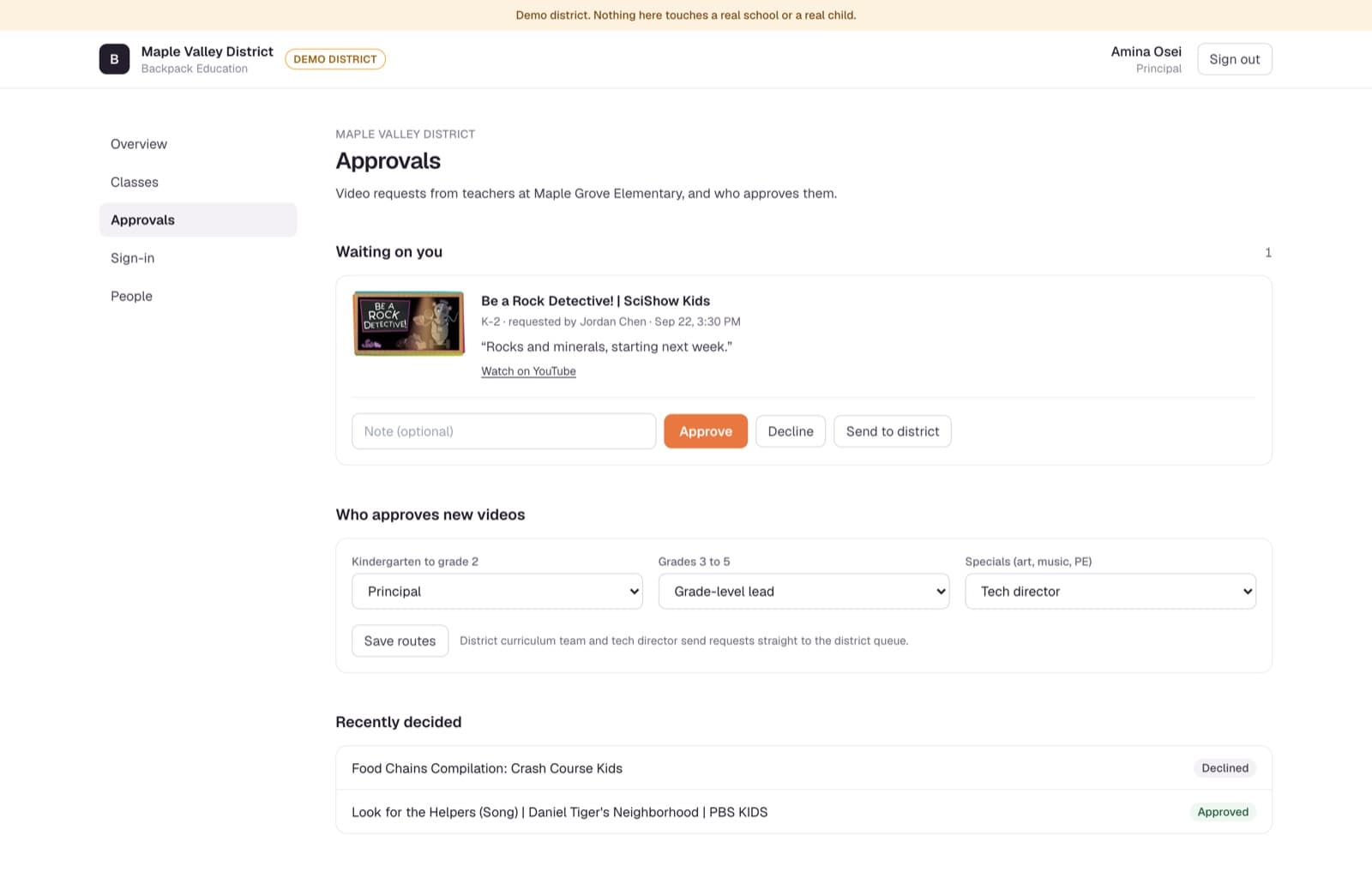
Real screen from our demo district. Names are fictional.
Pick your state.
Arrow keys move across the map. Tiles are arranged roughly by geography, not to scale.
No statewide rule on record
Illinois
There is no statewide classroom screen-time rule on record for Illinois.
Districts in Illinois set their own. Whatever yours decides, it starts with what the district approves.
This page names only the rules we have checked against a published source.
Checked 23 Sep 2026. This is our reading of public sources, not legal advice. Your counsel and policy team have the final word.
The Backpack screen that helps
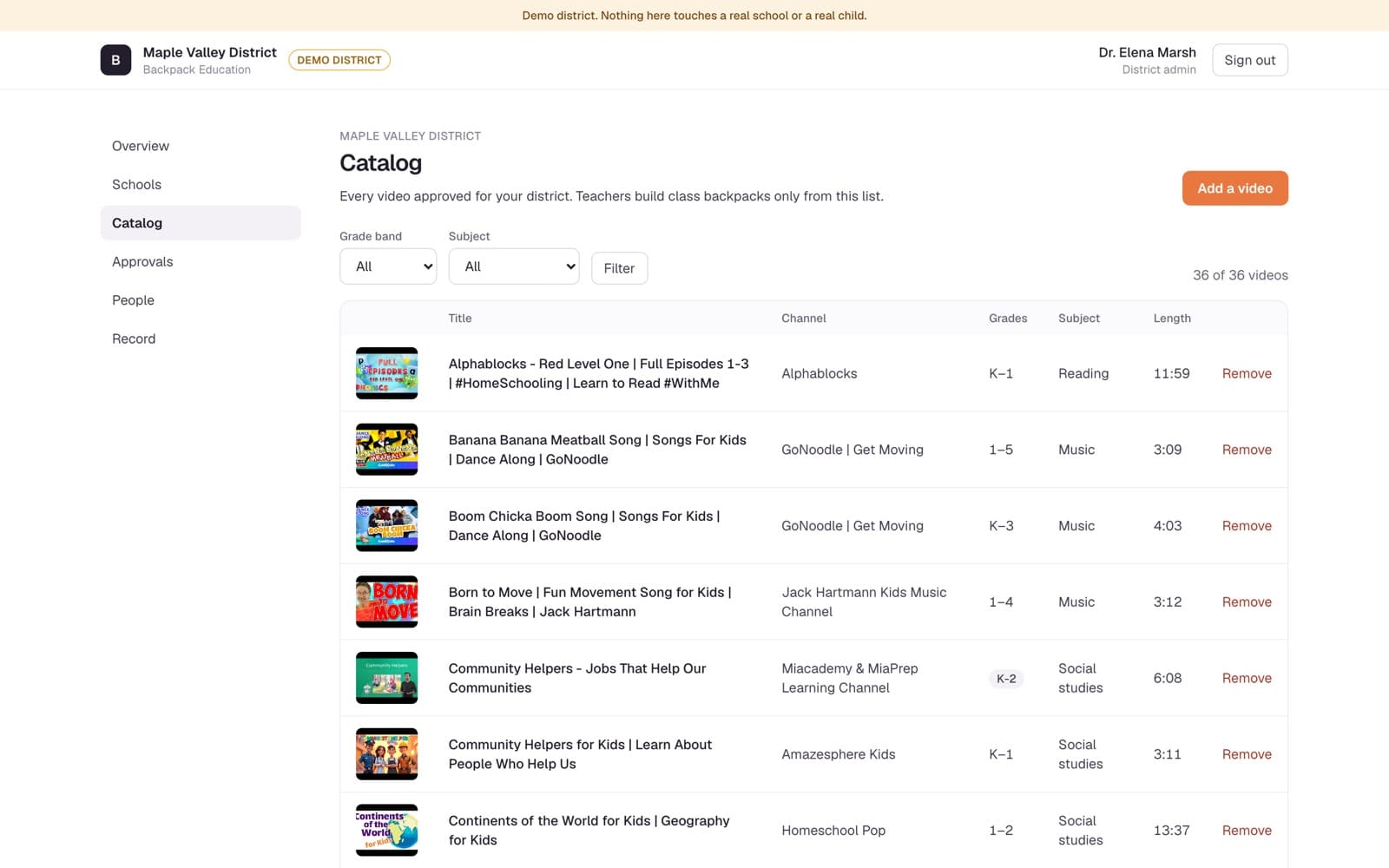
The district catalog. The district approves each video once, by grade band and subject, and teachers pack only from that list.
Real screen, Maple Valley demo district. Names are fictional.
Three screens
However your district writes the rule, it lands on three real screens.
A district approves what can be shown. A school decides who says yes. A teacher packs the lesson. Each has one screen.
Real screens from our demo district. All names are fictional.
01 District catalog
The district approves once, by grade band.
Each video is approved for a grade band and subject. Teachers pack only from this list, and Remove takes a video out of every backpack at once.
02 School approvals
Each school names who says yes.
For each grade band, the school chooses who approves new videos. A teacher's request lands with that person: approve, decline, or send it to the district.
03 Class backpack
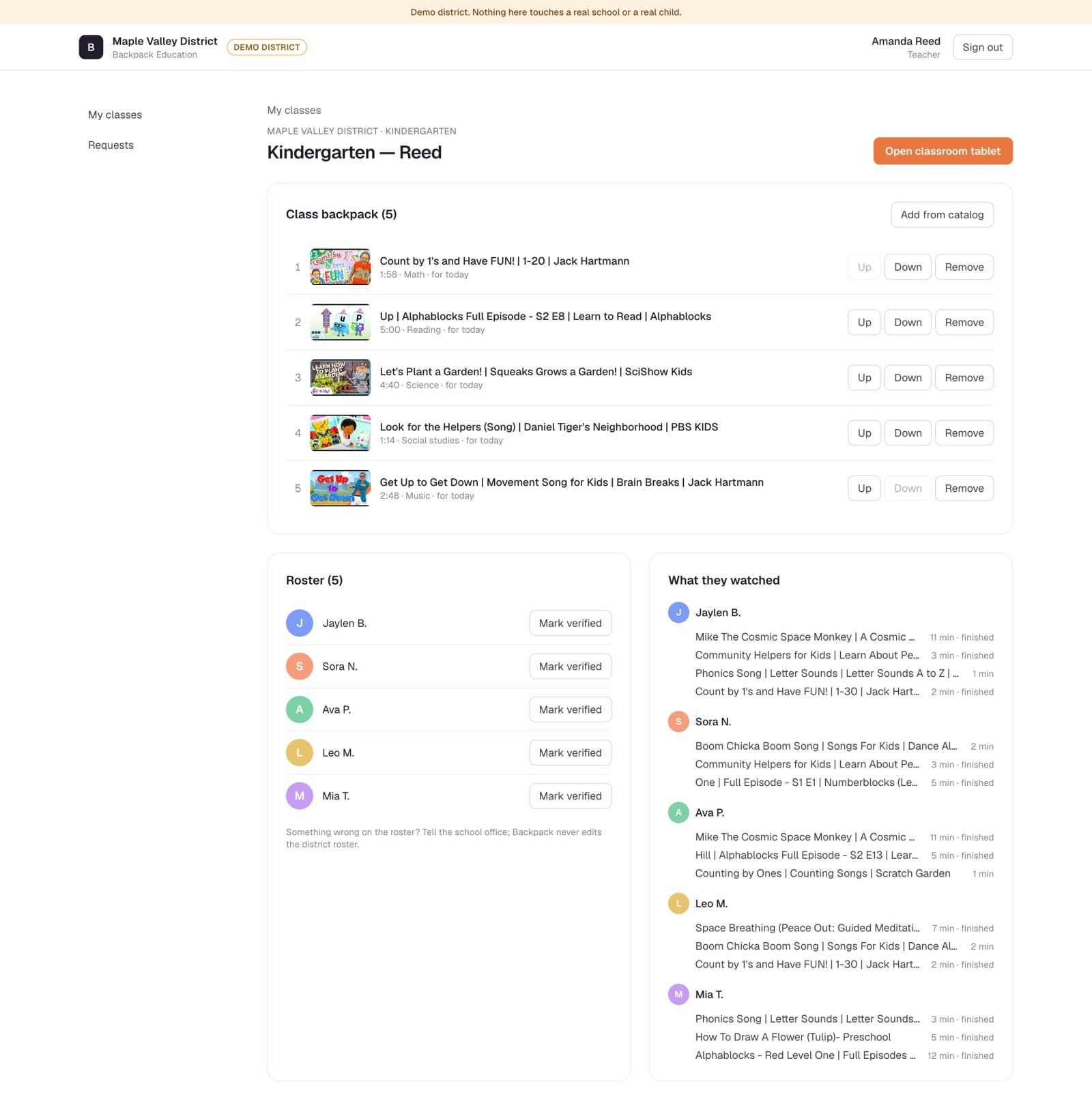
The teacher packs a short, fixed list.
Five videos from the approved catalog, in teaching order. The class watches only these, and each view is recorded with how long it ran.
See it against your own rule. In the demo district.
Sign in as a district admin, principal, teacher or classroom tablet. Nothing in the demo touches a real school or a real child.